Your first duel, in order
- 01
Use PLAY in the lobby and join an available duel. The official game supports 1v1 and 2v2.
- 02
When the arena vote appears, read the map cards and choose an arena.
- 03
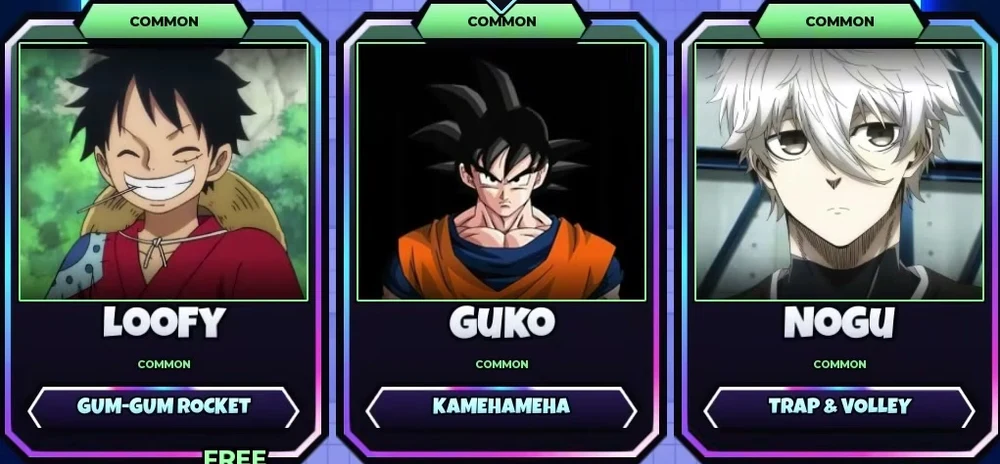
Choose one of the three offered Anime Balls. Read the name and ability before the timer runs out.
- 04
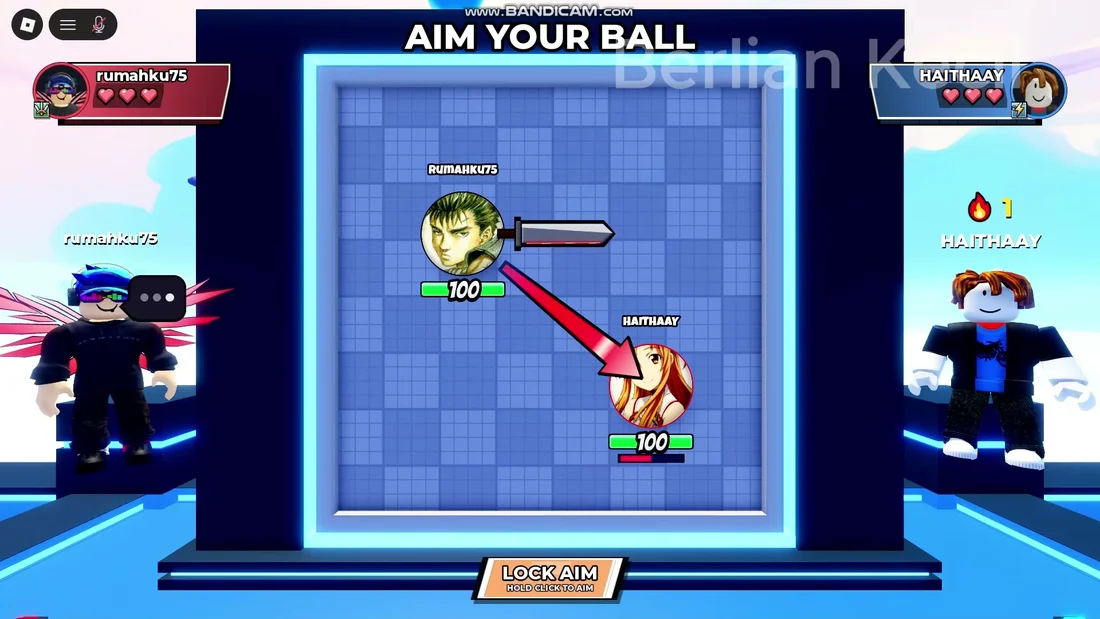
At AIM YOUR BALL, use the on-screen aiming instruction and LOCK AIM.
- 05
Watch the automatic fight. After the duel, return to the lobby and check Missions, Gifts and Win Rewards.
What do I actually control?
| Stage | Your input |
|---|---|
| Lobby | Choose a duel, open your inventory or visit the reward menus. |
| Arena vote | Choose from the map cards offered in that match. |
| Character selection | Pick one of three options. A REROLL button is visible; inspect the current prompt before spending anything. |
| PC aiming | The recorded instruction says to hold the click to aim, then use LOCK AIM. |
| Combat | The game describes combat as automatic. This is not a manual parry-key guide. |
1v1, 2v2 and playing with a friend
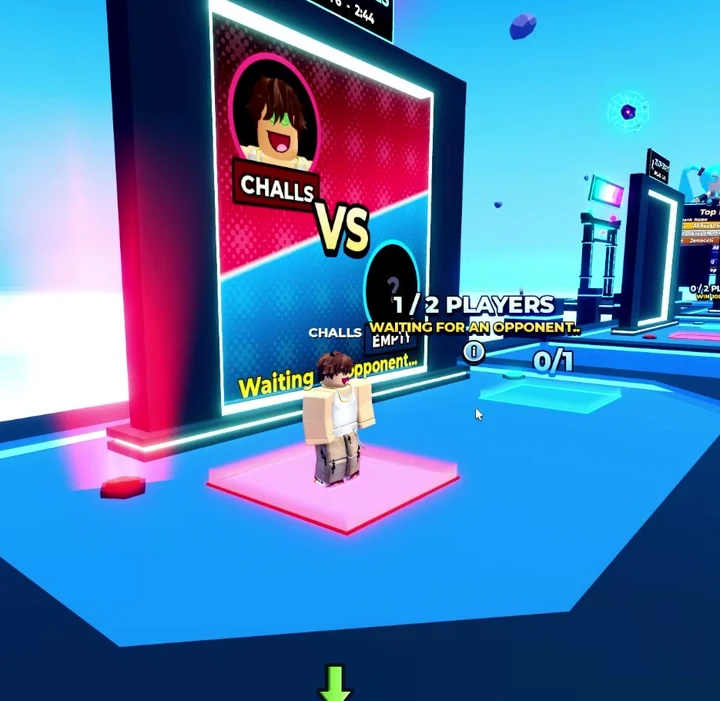
1v1 is the simplest way to learn what each round looks like. For a team match, look for the lobby area marked 2 VS 2. Waiting areas have an INVITE control; confirm that your friend is in your match before it starts.
One recording also shows PLAY WITH BOT while waiting for an opponent. If that option appears in your server, it gives you a way to inspect the flow without waiting for a player. Its rewards and eligibility have not been tested here.
Playing on a phone
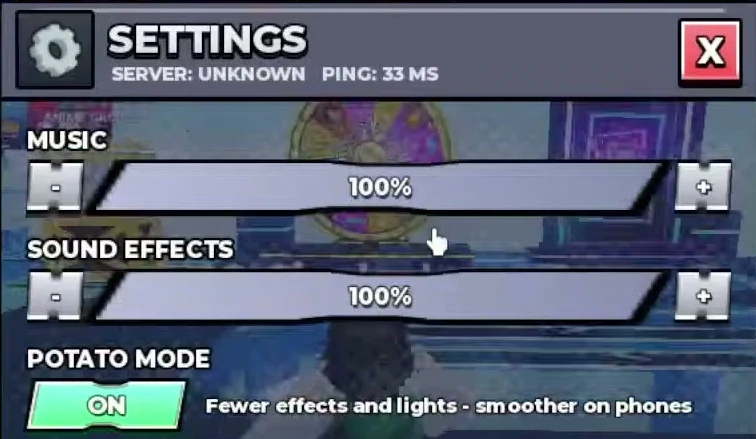
If effects make the game run poorly on your phone, open Settings and look for Potato Mode. The recorded menu describes it as reducing effects and lights for smoother play on phones. It also has separate music, sound-effects and vibration options.
The footage here is recorded on desktop. Follow your phone’s own aiming prompt; we have not verified an exact touch gesture or controller layout. During combat the balls fight automatically, so a manual parry button is not part of this guide.
If selection no longer responds, check whether its timer ended. For a connection problem, check Roblox service status before repeatedly leaving matches.
Common questions
Is Anime Ball Duels the same as Anime Ball?
No. This guide is for the King Games TD experience, Place 124470516975332. Check the creator and game link before using a code or control guide.
Why do I get different characters each round?
The official description says each round offers three random Anime Balls. Your choice is made from that round’s offered set.
Which character should I choose?
Start by identifying the options and their ability labels in the character reference. We do not have enough controlled match results to name a universal best character.